Aadhaar card is not just an identity card, but is also indispensable for many daily needs, such as banking transactions, government schemes, and more.
Experts say that as the use of Aadhaar is increasing, its misuse is also increasing.
In this context, the Unique Identification Authority of India (UIDAI) has implemented a new process to prevent fraud through Aadhaar. This step has been taken to prevent the unauthorized use of the Aadhaar card of a deceased person.
It has been said that the Aadhaar of a deceased person should be deactivated to prevent its misuse. An easy online deactivation process has been introduced to prevent unauthorized use of the Aadhaar number.
Deactivating the Aadhaar card of a deceased person can be taken care of against identity theft of that person. It can prevent the misuse of legal and financial transactions in their name. Once the Aadhaar number of a deceased person is deactivated, no transactions can be done in their name.
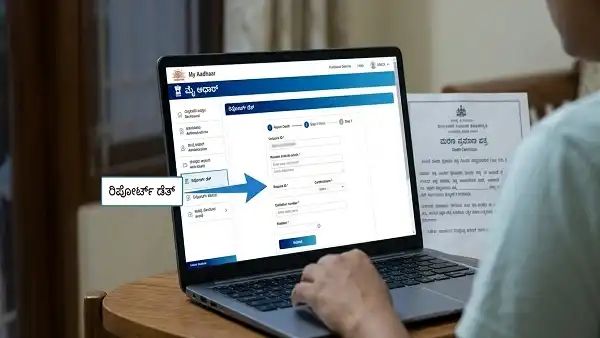
How to deactivate the Aadhaar number of a deceased person? Step-by-step process:
First open the ‘My Aadhaar’ portal.
You will have to log in with your Aadhaar details.
Then select the ‘Report Death’ option.
Upload the required documents like Death Certificate.
Submit the Verification Request.
Once your request is approved, the Aadhaar number of the deceased person will be completely deactivated.
Note: The death certificate of the deceased person must be obtained from the municipality or registrar’s office. After verifying the details based on the application, UIDAI will permanently deactivate the Aadhaar of the deceased.
What to do if the Aadhaar card is lost?
When the Aadhaar card is lost or the Aadhaar number is forgotten, open the UIDAI official website:
Click on the option “Retrieve Lost or Forgotten EID/UID”.
Then after entering your registered mobile number, name and other details, verify the OTP.
After this, the UIDAI will send your Aadhaar number to your mobile via SMS.
In case of loss of Aadhaar card, you can download e-Aadhaar card through UIDAI website:
You can easily download it by clicking on the “Download Aadhaar” option on the website. You can download both normal and masked Aadhaar.
After Aadhaar verification is complete, your Aadhaar will be downloaded in PDF format.
The Aadhaar file is locked with a password. You can open the file by entering the first 4 letters of your name (Capital letters) and your year of birth (YYYY).